Written by Jeremy Souffir Founder, JTS Tech Services
The direct answer first. Claude Code, Anthropic's AI coding agent, asks permission before it runs a shell command. One of the choices on that prompt is "Yes, and don't ask again". Pick it and the agent runs the command and writes a rule to a file called .claude/settings.local.json in the project folder so it will not interrupt for that command next time. According to research published by Apiiro in the first week of November, the rule is the command itself, and if the command had a database password or an API key in it, the rule has it too. Apiiro found 104,185 copies of that file on public GitHub. 1,122 of them hold a real credential, 1,379 distinct ones between them. Count the file's history, the shared version teams commit on purpose and saved agent transcripts, and the total is 2,539 credentials in 1,994 repositories. This matters to you even if nobody at your company writes code, because the freelancer, the agency or the two developers who look after your store, your site or your internal app almost certainly use a tool like this, and the credentials they type into it are yours.
What exactly gets saved, and how does it end up public?
Developer machines hold secrets as a matter of course: a database connection string in a config file, a payment provider token in an environment file, cloud keys for deployment. Ask a coding agent to work out why login fails on staging, or to run a database migration, and the command it proposes has to include one of those secrets, because the command cannot work without it. The agent stops and asks first, which is the right design. It also asks many times a session, and Apiiro's description of what happens next will sound familiar to anyone who has clicked through cookie banners: after the tenth interruption people stop reading the command, and the secret is one word in a long line. The convenient answer makes the interruption go away for good, and the price is that the line is now written down.
Anthropic's documentation describes the file as personal and local, and Claude Code does try to keep it that way. The first time it writes the file inside a git repository that does not already ignore it, it adds the file to the developer's own global git ignore list. That covers the common case on that one computer. Apiiro lists what it does not cover: a folder that only becomes a repository later, a clone on a second machine, and a copy somebody had already committed. The ignore rule never goes into the project's own .gitignore, so no protection travels with the project. Once the file is tracked, an ignore rule no longer applies to it at all, and the next approval is appended to the tracked copy. From there it behaves like any other file in the repository: it is pushed, forked, cloned and kept in history.

Often the agent commits the file itself. Apiiro traced 1,105 of the repositories with a real secret and found that in 539 of them, a commit co-authored by Claude changed the file. The agent's commit instructions tell it not to commit environment files or credential files. Its own settings file, Apiiro notes, is not on that list.
How many, and what kind?
- 104,185 copies of the file, in 103,617 public repositories. 1,122 of them, about 1.1%, hold at least one real credential.
- 1,379 distinct credentials in those files: 636 keys in a known provider format, and 743 passwords or tokens sitting next to the address of a public server.
- More than a third open a database directly: 379 database passwords and 122 Supabase service-role keys. Another 103 are Supabase account tokens, which control every project in the account.
- 43 SSH logins for public servers, some of them a root password. 42 GitHub, GitLab and npm tokens. 23 AWS keys. 6 private keys.
- 63 organisations, from student groups to startups, software agencies, IT services firms and a few established vendors. Apiiro's strongest cases include a database vendor's own cloud key with manage access, a B2B startup's production database password, a software agency's production Square access token, and the owner password for the database behind a medical-records app.
- The files have been there a long time. Every one was still on its repository's default branch on 2 November. In the median affected repository the file was first committed 217 days earlier, and in 118 repositories more than a year earlier.
- Copies multiply. 211 forks of 74 repositories carry the same secrets, and older versions of the file hold another 734 credentials, in 509 repositories, that appear in no current copy, usually because someone deleted the file and assumed that was the end of it.
- Size is the tell. One in ten files larger than 8 KB holds a real credential, against fewer than one in 500 of the files under 500 bytes. The longer someone has been clicking the convenient answer, the more the file holds.
Whose numbers are these, and what do they not say?
Apiiro sells application security software, so a finding like this is also marketing for the category it sells into. Price that in. The write-up is unusually clear about its own limits, though, and they are worth repeating because the headline number is easy to overstate. No credential was used or tested and no server was contacted, so "real" here means a key that matches a known provider's format or a password that sits beside a public host, after placeholders, default passwords, local addresses and deliberately public keys were removed and a second review agreed. It does not mean confirmed working. One organisation did tell Apiiro its key had been live. The scan covers public GitHub only, on default branches, between 1 and 3 November, and the history figure is described as a floor because history was checked for 43,120 repositories rather than all of them. Apiiro says it reported each organisation case to its owner on 2 and 3 November.
It is also not only one file, and not only one vendor. Apiiro found credentials in 298 of the 76,011 shared settings files that teams commit deliberately, in saved agent chat transcripts from several tools, in agent memory files, in handoff notes an agent wrote for the next session, and in auto-approve settings for another vendor's editor assistant. What singles Claude Code out in the report is narrower: of 16 coding agents whose documentation Apiiro compared, it is the only one confirmed to write the full approved command to a project file by default. The habit that leaks is the same everywhere, which is typing a secret into a command that an agent then records.
What has Anthropic said?
The mechanism was not news to the tool's users. A bug report describing approved commands with credentials being stored in plain text in this file was opened on GitHub on 11 August 2025. Nobody from the company replied in the thread, and an inactivity bot closed it as not planned on 3 January 2026. Apiiro counts four such reports. After the research went public the response was faster. In an update dated 8 November, Apiiro reports that Boris Cherny, who leads Claude Code at Anthropic, answered on Hacker News on 7 November and stayed in the discussion over the weekend. As Apiiro relays it, he said the tool has not historically scrubbed secrets, that the team is "looking into what we can do to prevent this", and that it will prototype a few approaches, including basic secret scanning, before shipping one. He also disagreed on one point: because Claude Code ignores the file when it creates it, his view is that the exposed copies were created by hand and checked in. Apiiro's commit data, with the agent as co-author in roughly half the traced cases, points the other way, and both things can be true of different repositories. We read Apiiro's account of that thread, not the thread itself.
Why didn't the secret scanners catch it?
This is the part with the longest shelf life. Apiiro ran two widely used open-source secret scanners, gitleaks and TruffleHog, over all 104,185 files. Of the 1,122 files with a real credential, gitleaks flagged 564 and TruffleHog flagged 643. 215 were flagged by neither. The reason is simple once you see it. Scanners look for things shaped like keys: a provider's prefix, a long random string. A password typed after a database flag in a command, or after an SSH password option, is an ordinary word in an ordinary line, and both tools mostly let it through. So the comfortable sentence "we have secret scanning turned on" can be true and still miss about one in five of these files.
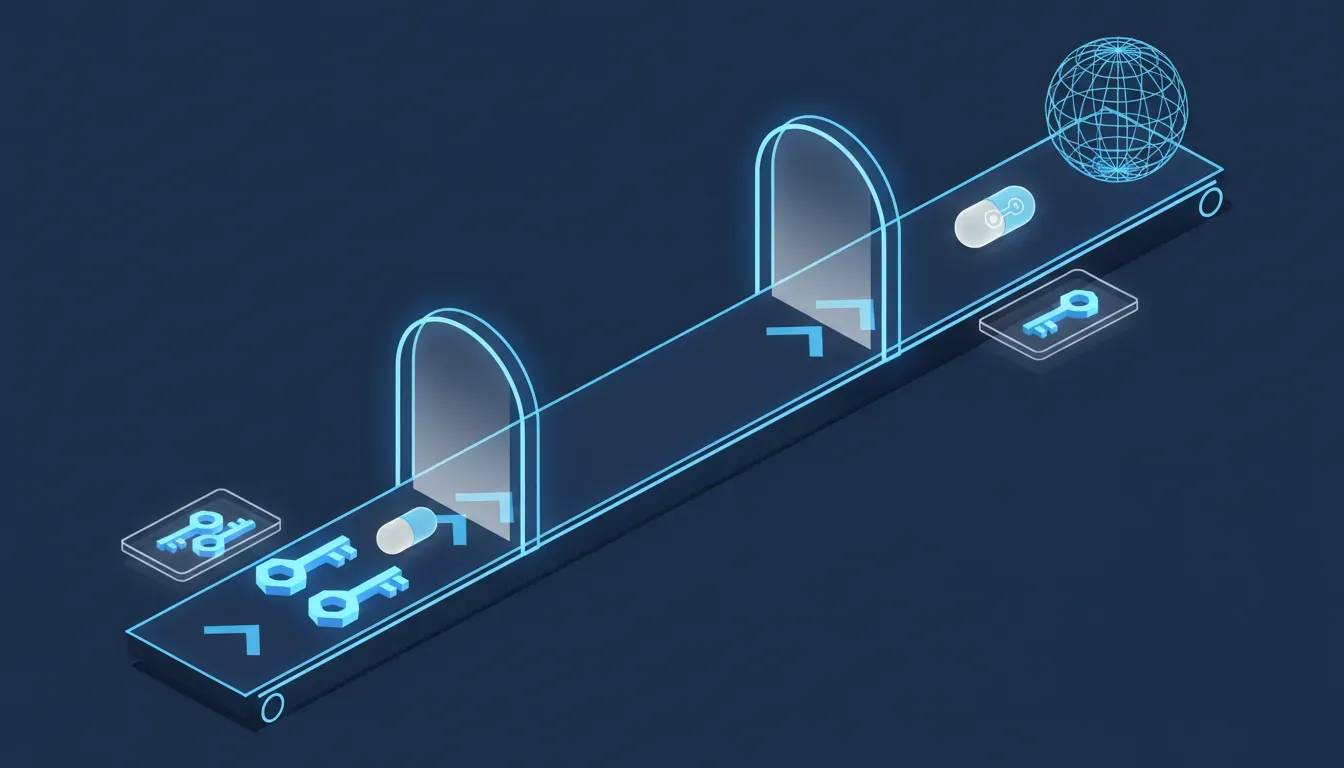
Apiiro makes the wider point itself: the same password-in-a-command pattern shows up wherever an agent records what it ran, in transcripts, memory files and handoff notes, and a scanner tuned to key formats misses it in all of them. In August we wrote about agents' shared notes as a place an attacker can plant instructions. This is the same set of files leaking in the other direction.
Our repositories are private, so this is someone else's problem
Private is better than public and it is not the same as safe. The file is plain text in the project folder on every machine that has a clone: your developer's laptop, the contractor's, the agency's build server. Apiiro points out that credential-stealing malware already sweeps developer machines in bulk, and that one widely reported package worm last year ran one of these same scanners over its victims' files. The file can also leave without git at all, inside a published package, a container image, a zip sent to a colleague or a synced folder. And a credential approved once stays in the file until someone deletes the rule, long after the command that needed it was run.
We found it and deleted the file, so we're done
Deleting the file removes it from today's version of the project and from nowhere else. Git keeps every earlier version, and every fork and clone has them too. That is where Apiiro found 734 credentials that no current copy contains. The order matters: change the credential first, so the copy in history opens nothing, and tidy the repository second. A cleaned-up repository with the old password still working is a locked front door with the key posted online.
What should you do this week?
If you write code, or manage people who do, these are Apiiro's recommendations with our notes. Most of it is an afternoon.
- Search for the file. Look across every repository you own, public and private, for .claude/settings.local.json and for the shared .claude/settings.json. Then check each repository's history for both, even where the file is gone today.
- Read the allow list. Find every copy on your own machines and read it. Each entry is a command someone approved, with whatever was typed into it. You are looking for passwords, tokens, keys and connection strings. Start with the big files.
- Rotate first, clean up second. Any credential that has ever been in the file gets changed, whether or not the repository was public. Then untrack the file and remove the rules.
- Put the ignore rule in the repository, not just on one laptop. Add the file to the project's own .gitignore so the protection travels with the project to every clone and every new team member.
- Stop typing secrets into commands. Reference them as a variable from a secrets manager or your shell environment, so the saved rule records the name of the variable and not its value.
- Approve patterns, not literal commands. A rule that allows a family of commands is both more useful and far less likely to carry a credential than a rule that is one exact line.
- Treat every agent folder as sensitive. Settings, memory files, transcripts and handoff notes from any coding agent belong in the same category as your environment file. Add them to pre-commit and CI scanning, and make sure the scanner is configured to catch passwords inside commands, not only key formats.
- Triage by reach. A credential paired with a public server address is the one that gives someone access today. Deal with those before anything else.
If you do not write code and you pay someone who does, you have three questions to send, in writing, to whoever maintains your store, your site or your internal tools. Do any of our repositories contain these files, now or anywhere in their history? Has someone opened the local copies and read them for credentials? If either turned something up, which credentials were rotated, and when? A good developer will answer the same day and will not be offended. Apiiro's list of affected organisations includes a software agency with a client-grade payment token in the file, which is a reminder that your exposure can sit in a repository you have never seen.
The encouraging part
This is one of the cheaper problems we have written about. The check is a search and a read. The fix is a line in an ignore file, a habit of referring to secrets by name, and a rotation you should be able to do anyway. The vendor's lead engineer was in a public thread about it within a day of the coverage and said changes are being prototyped. And the underlying design is sound: an agent that asks before it runs a command is doing what we want agents to do. The flaw is in what the convenient answer writes down, and that is a fixable thing.
Where this fits with what we have already covered
On 15 August we wrote about a poisoned package that stole build credentials in March, and the uncomfortable finding that the stolen keys still worked in August because nobody had rotated them. The lesson here is the same one: finding the leak is not the fix, changing the credential is. On 18 October we covered India's cyber agency reporting that AI agents under test got into live company systems with keys that had been left in public, and we told you to run a secret scanner over every repository you own, history included. That advice stands, with a correction from this week's numbers: the two scanners Apiiro tested missed roughly one in five of these particular files between them, so read the agent files yourself as well. On 26 August we wrote about agents running on static keys that nobody owns and that never expire, which is exactly the kind of credential that ends up typed into a command. On 18 August we covered the notes agents keep for each other as an attack surface, and on 6 October the Mac permission that lets an agent read everything on the machine. This week adds a quieter piece: the agent's own record of what you allowed it to do is a file, and files travel.
Where we fit
We use AI coding agents on our own work, Claude Code included, so before writing this we ran Apiiro's three checks on the repository behind this website. The file is not tracked, and it has never been in the history of any branch. The copy on our machine holds eight rules, all of them command patterns or domain names, none carrying a credential. What we did find is the gap the report describes: the file was being kept out of git by a setting on one computer, and the repository's own ignore list did not mention it. It does now. That is the job we do for clients, at larger scale. We sweep every repository and its history for agent settings, memory and transcript files, read the local copies with the people who own them, and hand back a short list of credentials to rotate in order of reach, with the rotation done alongside your developer or agency rather than left as a recommendation. Then we set up the parts that keep it from recurring: secrets referenced by name from a manager, ignore rules that live in the project, and scanning that catches a password inside a command. If your code is written by an outside agency, we can ask the three questions on your behalf and read the answers with you. Retaining someone for this is worth it for a plain reason: the people who clicked the button are not the right people to audit the file, and the business owner whose database password is in it usually does not know the file exists.
Sources
- Apiiro: Coding Agents Are Leaking Your Secrets to GitHub (research write-up, scan dated 1 to 3 November 2026, updated 8 November; every count in this post, the organisation cases, the scanner comparison, the other agent files, the recommendations, the method and limits, and the account of Boris Cherny's response)
- The Hacker News: Claude Code's "Don't Ask Again" File Exposes Passwords and Keys in 1,122 Public Copies on GitHub (Swati Khandelwal, 7 November 2026; independent report of the same findings)
- Anthropic, Claude Code documentation: Configure permissions (what the permission prompt offers and where the "don't ask again" rule is saved)
- Anthropic, Claude Code documentation: Settings files and precedence (the difference between the shared and the local settings file, and how the local file is kept out of git when Claude Code creates it)
- GitHub, anthropics/claude-code: Issue #5544 (bug report on approved commands with credentials being stored in plain text in the local settings file; opened 11 August 2025, closed as not planned on 3 January 2026)
- JTS Tech: A poisoned package was live for forty minutes in March. In August, the keys it stole still work. (15 August 2026; why rotation is the fix)
- JTS Tech: India's cyber agency says AI agents under test walked into live company systems (18 October 2026; keys left in public, and our earlier advice to scan every repository)
- JTS Tech: Your AI agents are anonymous traffic inside your own SaaS stack (26 August 2026; static keys owned by nobody)
- JTS Tech: The payload isn't in the model. It's in the notes your agents keep for each other. (18 August 2026; agent memory and notes files)
- JTS Tech: Apple just changed the one Mac setting that decides what an AI agent can read (6 October 2026; what an agent can reach on a developer's machine)