Written by Jeremy Souffir Founder, JTS Tech Services

The direct answer first. If a ChatGPT user in the United States asks the agent OpenAI calls dots to buy something from your store, the agent opens your website in a cloud browser, walks through your ordinary checkout, and pays with ChatGPT Wallet. Your checkout does not know it is a wallet. It sees a card payment, except that the card number is a network token issued by Visa, Mastercard or American Express, and the real number never reaches you. OpenAI's Commerce Partner Playbook, published for the launch on 13 November, says this in one sentence: ChatGPT Wallet works out of the box with existing checkout pages and payment forms, and no Wallet-specific integration is required. That is true, and it is the least useful sentence in the document. The rest of the playbook is a list of the places where the purchase can fail without anyone telling you. Your edge security can reject the signed browser before it reaches a product page. Your payment processor can decline a token it does not expect. Your fraud rules can flag a cloud-hosted browser as a bot, which it is, carrying a real customer, which it also is. We read all six pages so you can check each of those in order. We also read the one line that matters more than the others: OpenAI does not yet have features to allow specific site owners to control what actions users can take. Yesterday Shopify published a file on your store that lets you grant an agent exactly one permission. OpenAI's agent does not read that file. It relies on OpenAI's own human-review step instead, and your store is told about it after the fact.
What did OpenAI publish on Friday?
- A wallet for the buyer. ChatGPT Wallet lets a user add an eligible card once; after that the agent can pay with it. Before each purchase the user reviews the items, the total and the card, and approves with a face or fingerprint check. The merchant and the agent get a payment token in place of the card details. It launched on 13 November for a limited number of US ChatGPT Pro subscribers aged 18 and over, with American Express, Mastercard and Visa as the networks, as reported by TechCrunch and CNBC the same day. No date for other countries or tiers has been given.
- A playbook for the seller. The Commerce Partner Playbook at developers.openai.com/commerce has an overview and six guides, in this order: submit product feeds, help ensure cloud browser access, accept payments, build a plugin, integrate Sign in with ChatGPT, and claim your business. The overview says browser use follows your existing website flow and does not require a significant engineering lift, and that a plugin takes more integration work. The accept-payments page labels its own guidance and the browser-access checks as optional steps that can help ensure Wallet works smoothly on your site.
- A clear statement of who does what. Customers can use ChatGPT Wallet to pay on your website or use an existing saved payment method. The customer reviews and approves the purchase in ChatGPT, and your checkout processes the payment. Your business handles the order, fulfilment, customer support and fraud decisions. In other words, OpenAI runs the approval, you run everything after it.
- No dates and no prices. None of the pages carries a publication or last-updated date, a version number, a country restriction or a plan tier. None states a fee to the merchant. The eligibility facts above come from the launch coverage, not from the playbook, and we have kept the two apart below.
The agent has four names, depending on who is looking
OpenAI's own pages call it the cloud browser, and once, dots. Cloudflare lists it as dots, OpenAI under a Personal Agents heading. Akamai and HUMAN list it as ChatGPT Agent. Vercel identifies it as chatgpt-operator, the name of the product it grew out of. If you go looking for it in your security dashboard and search for ChatGPT, you may find only the crawlers. Search for the vendor's name above instead.
How does the agent arrive at your store?
Signed. ChatGPT uses Web Bot Auth to identify certain automated browser requests, and the playbook is careful to say that this guidance applies to signed cloud browser requests, not web crawlers. Web Bot Auth is the HTTP Message Signatures standard, RFC 9421, applied to bots. Each request from the agent's browser carries three extra headers: Signature, Signature-Input, and Signature-Agent, the last one set to the string https://chatgpt.com in quotation marks. Anyone who wants to check the signature fetches OpenAI's public key from a published directory at chatgpt.com/.well-known/http-message-signatures-directory, confirms the Signature-Agent header matches exactly, and verifies the signature. We fetched that directory on 14 November. It contains a single Ed25519 key, valid from 1 January 2025 and expiring on 22 November 2026, a week after launch. That is not a problem for anyone who fetches the directory as the spec intends. It is a problem for anyone who copies the key into a rule, which is why the playbook tells you to retrieve it rather than store it.
- If you are on Akamai, Cloudflare, HUMAN or Vercel, the signature is checked for you. The playbook's words: Akamai, Cloudflare, HUMAN, and Vercel verify ChatGPT request signatures automatically. On Cloudflare you either set dots, OpenAI to Allow (do not block) under the AI Crawler and Agent access policies, or you write a WAF rule on Bot Detection ID 129220581. On Akamai you allow the bot named ChatGPT Agent in its AI Fetchers and Agents category. On HUMAN you switch ChatGPT Agent on and allow it in Sightline. On Vercel nothing is needed unless your own rules block it.
- If you are on anything else, you verify it yourself or you do not verify it at all. The playbook gives the four manual steps and nothing more. Shopify's own platform has asked bots to sign with Web Bot Auth since May and throttles unsigned traffic hardest, which we covered in August, so a Shopify storefront is already on infrastructure that understands the signature; a WooCommerce store on a general host most likely is not.
- The default is open. The page says ChatGPT's cloud browser can already use your site and you don't need to add it to an allowlist. However, your security settings may unintentionally block these visits, and OpenAI's remedy is to allow verified ChatGPT browser visits while keeping your other security controls in place. An exception can apply site-wide; keep your existing page-level access controls in place. The page closes with the commercial argument: sites that block access may lose users or customers who turn to other sources to make decisions.
- This is the signed request we asked for on Wednesday. Our 12 November post reported counterfeit traffic wearing a popular agent's name and said to verify agents by signed request or published address range rather than by the name they claim. For OpenAI's paying agent, the signature now exists and the key is published. A bot calling itself ChatGPT without a valid signature on its requests is, from today, something you can tell apart.

What does your checkout actually receive?
- A network token, not a card. The playbook's question and answer, verbatim: Do I receive the full card number? No. You receive a network token instead. Use the Payment Account Reference (PAR) to associate the token with the underlying payment account. PAR is the card networks' persistent identifier that stays the same across tokens for one underlying card. If your processor already handles network-tokenised card-not-present payments, this is ordinary. If you have never seen a PAR in an order record, ask your processor what it will show you, because it is the only way to recognise a returning Wallet customer's card.
- One transaction, one consent. Can I use this for another purchase? No. The customer consents only to the specific transaction. Don't reuse or save that payment credential for a separate purchase. A store that quietly vaults every card it sees will be vaulting something it has been told not to use.
- Subscriptions, yes, with care. Can I use this for a subscription? Yes, if your existing checkout supports recurring billing. Get the customer's consent for recurring charges and follow your payment processor's best practices for merchant-initiated transactions.
- Your saved cards are untouched. ChatGPT Wallet is a separate payment option. You can keep using your existing authorized card-on-file flow. A returning customer whose card is already on file with you can still pay that way through the agent; the wallet is for the customer who has not given you a card.
- A new header for your fraud tool. This is the part most likely to be missed. Risk systems are often tuned to detect bots and rely on observed signals like IP addresses or details about the connected browser, the page says, and ChatGPT's cloud browser can set off these systems by accident and cause purchases to fail. So OpenAI is rolling out support for relaying user signals through the Forwarded HTTP header. The header may carry seven parameters describing the human, not the cloud browser: asn, for (the user's IP address), ip-country, ip-prefix, locale, tz and user-agent. The examples given include a bare ip-country=CA for geographic eligibility, and asn plus ip-prefix plus user-agent for fraud risk assessment. The instruction: if you use a third party risk provider, contact them to ensure your configuration properly ingests these new signals; if you have your own, start observing the header. And a warning: the signals you receive may vary as we roll out support for every site.
What the playbook does not say
Whether you pay anything for a Wallet transaction beyond your normal processing fee. Who the customer of record is and what name, email and shipping address arrive with the order. How disputes and chargebacks on a token payment are handled and by whom. Whether the US, Pro and 18-plus limits are temporary. On the first three the pages are silent, and the one line that touches responsibility is in the browser FAQ: customers are ultimately responsible for the actions they take, and you should handle support in the same way you would if a customer took the action themselves. On the fourth, the restriction appears only in the launch coverage, not in the playbook, which never mentions a country, a tier or an age.
What about the feed, the plugin and the sign-in?
- The feed is for being found, not for being bought from. The feed does not update a cart or confirm a purchase. Your live website or plugin still checks the current offer when a customer acts. The feed page lays out a sequence: claim your business in Business Hub, verify identity in the product section (it is a requirement to be able to upload your products), upload, choose the countries and currencies where you sell, keep item_id values stable, and deliver by manual upload, hosted URL or SFTP. The standard upload format currently targets the US. We walked through the claim on Tuesday; the playbook makes it the gate to the feed, but not to browser access or payment, which need no claim at all.
- The plugin is optional and does not yet carry the wallet. Websites and merchants do not need a plugin for verified ChatGPT users to use the cloud browser, the FAQ says, though a plugin may make it easier and faster. The plugin guide describes a headless MCP server with product lookup and cart tools that work without the customer signing in, and a continue_url handoff to the browser when the plugin cannot finish a step. Then the sentence that settles priorities: We're still working on the interaction patterns between third-party plugins and ChatGPT Wallet. Today the wallet pays through your website, not through a plugin.
- Sign in with ChatGPT is for a few. It is recommended when your website or checkout requires customers to log in, and the page is explicit that a ChatGPT identity is not purchase approval and that an email match alone does not prove account ownership. It is available to select commercial partners, requested by email, with manual review before going live. For most stores this means one thing: make guest checkout work, because the agent cannot sign in as your customer through any route OpenAI has given it.
Who decides what the agent may do at your store?
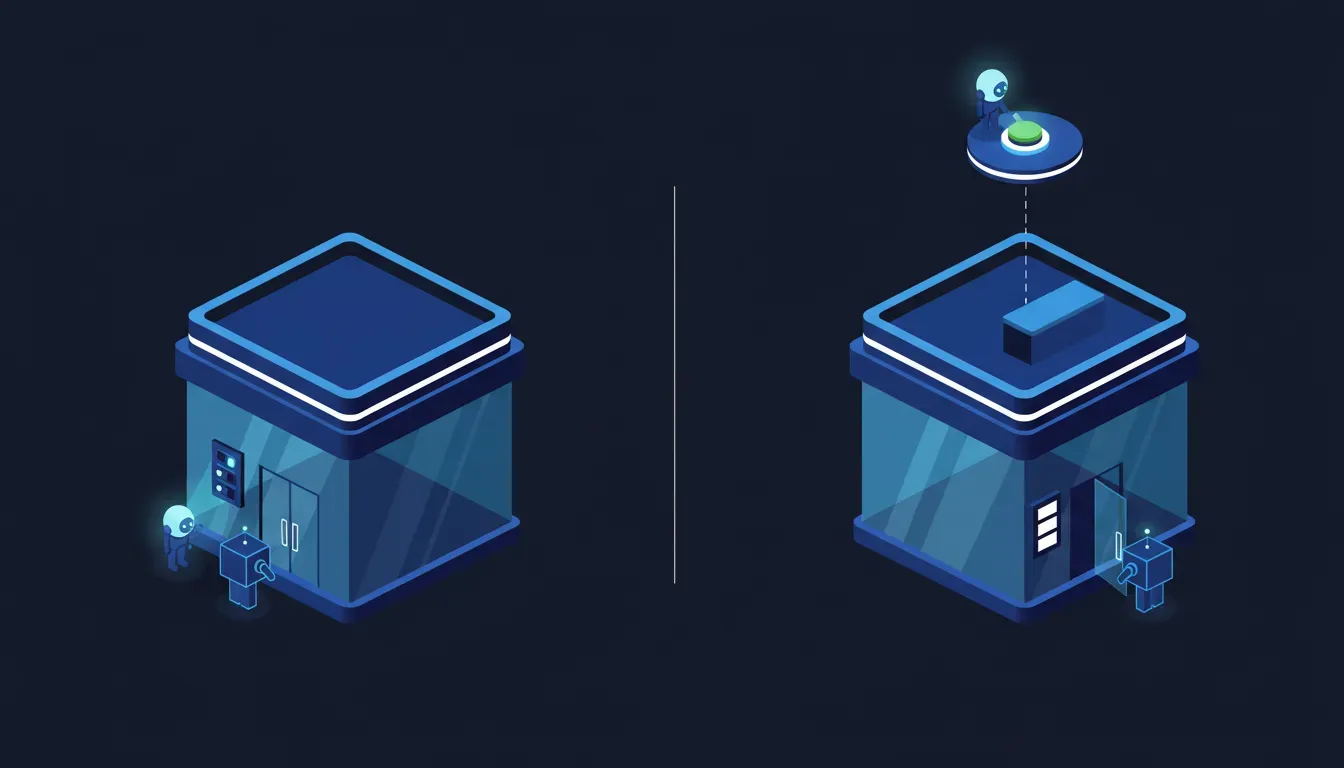
Not you, for now. The browser-access FAQ answers the question of whether a site owner can require confirmation before a purchase with one sentence: We don't yet have features to allow specific site owners to control what actions users can take, but across all our users, we require human review before any consequential action. Read next to yesterday's post, that sentence describes a second permission model arriving in the same week as the first. Sierra's Personal Agent Protocol, which Shopify switched on for every store on Thursday, puts the controls on the store's wall: a file that names the one scope an agent may use, marks it irreversible and personal, and offers nothing else. OpenAI's agent does not look for that file. It arrives as a verified browser, does what a customer could do on your site, and the brake is a human-review step on OpenAI's side that you cannot see, tune or require. Both models end with a human pressing confirm before money moves. They differ on where the store's wishes are written down. In Shopify's, on your domain. In OpenAI's, nowhere yet, which is why the playbook spends its pages on making sure the agent is not blocked rather than on what it is allowed to do once inside.
That leaves your terms of service as the only lever you hold today, and this week showed the two ways to pull it. United banned agents outright in its contract of carriage. Wells Fargo deemed anything an agent does with a customer's sign-in to be the customer's own act. We argued on Thursday that a store has a third option, because a store can keep a door open for agents while banning the one behaviour it does not want, the borrowed password. OpenAI's agent, as described in this playbook, walks through the front door with its own signature and pays with a token that is not the customer's card. It is the well-behaved case. The rule you write for it should say so, and should say what you expect of the badly behaved one.
Whose words these are, and what we could not check
Four cautions. The playbook quotations are from the markdown export of developers.openai.com/commerce as it read on 14 and 15 November; the pages are undated and OpenAI can rewrite them without notice. The launch facts, the date, the three networks, the US Pro 18-plus limits and the biometric approval step, are from TechCrunch and CNBC on 13 November; OpenAI's own announcement page refused our fetcher, so we have not quoted it directly. We have not seen a Wallet order arrive at a store and cannot tell you what name, address or email it carries. And the Forwarded header is, in OpenAI's own words, rolling out, with signals that may vary by site, so what your fraud tool sees this week may not be what it sees next month. For a Canadian store the geography cuts two ways: the wallet's buyers are American for now, but the signed cloud browser visits any site a ChatGPT user points it at, so the firewall and fraud checks below apply to you today even if the payment does not.
The two conclusions that both get this wrong
It is US-only and Pro-only, so there is nothing for us to do
The payment is US-only. The browser is not. ChatGPT's cloud browser already visits your store for any user who asks it to compare, check stock or read a returns policy, and it has been signing those visits for months. The firewall rule that lets the paying agent through is the same rule that lets the browsing agent through, and the playbook's own warning is that sites which block access lose customers who turn to other sources. The wallet gives you a reason to check a setting you should have checked already. The second reason is that every expansion of the wallet, to Plus users, to Canada, to debit, will arrive as a changelog entry you will not be sent. Being ready costs an afternoon now and nothing later.
No integration required, so we are done
No integration required means no code to write. It does not mean nothing can break. Three things fail silently in this flow, and none of them produces an error anyone reads: the edge rejects a signed browser and the agent reports the store as unavailable; the processor declines or misfiles a network token because the account was never configured for tokenised payments and nobody knows what a PAR is; the fraud tool scores a cloud-hosted browser as a bot, which is exactly what it was tuned to do, and quietly declines a real customer. OpenAI's fix for the third is a header your fraud vendor may not read yet. The playbook's optional steps are optional in the sense that a smoke detector is optional.
The encouraging part
In July we told you the checkout had moved back to your website after OpenAI scaled back Instant Checkout, and that this was a correction rather than a cancellation. Friday's launch confirms it in OpenAI's own documents: the agent pays on your website, through your checkout, with your processor, under your fraud rules, and you handle the order, the fulfilment and the customer. There is no marketplace fee named, no second cart, no copy of your catalogue in someone else's checkout. And for the first time the agent that arrives to pay carries a signature you can verify against a published key instead of a name you have to take on trust. That is the arrangement a store would have asked for. The work is making sure your own systems do not refuse it.
What to do this week
- Find the agent in your edge security and make sure it is allowed. On Cloudflare, open the AI Crawler and Agent access policies and set dots, OpenAI under Personal Agents to Allow (do not block), or write a WAF rule on detection ID 129220581. On Akamai, allow ChatGPT Agent. On HUMAN, switch ChatGPT Agent on and allow it. On Vercel, confirm no custom rule blocks it. Anywhere else, ask your host whether it verifies RFC 9421 signatures against the chatgpt.com key directory, and if the answer is no, decide whether its bot rules are currently blocking the agent.
- Do not copy the key. The directory holds one key today and it expires on 22 November. Any rule that pins the key rather than fetching the directory will start rejecting the agent within a week. Verification must fetch.
- Ask your payment processor two questions. Does my account accept network-tokenised card payments from a browser checkout, and where will I see the Payment Account Reference on an order? If either answer is a pause, you have found the second silent failure before a customer did.
- Ask your fraud tool one question. Does it read the Forwarded header, and specifically the asn, ip-prefix, ip-country, locale and tz fields, as the customer's signals rather than the browser's? Then watch for declines on orders whose browser is a data-centre address with a residential user behind it. Those are the agent's purchases.
- Walk your own guest checkout as a stranger. The plugin guide tells agents to assume customers will need to enter all their information from scratch. If your guest path hides shipping cost until the last step, requires an account to apply a discount, or breaks when a saved address is absent, the agent will hit the same wall a new customer does, and it will not phone you.
- Make the facts the agent needs visible before checkout. Stock, delivery times, the returns window and sizing, in plain text on the page. The playbook says the feed does not update a cart and the live website still checks the current offer, which means the page, not the feed, decides whether the purchase goes ahead.
- If you have claimed your listing in Business Hub, finish the feed. Identity verification first, then upload, then countries and currencies, then keep item_id stable. If you have not claimed it, our 11 November post walks through it. The feed is how the agent finds you; the website is how it buys.
- Write the agent clause in your terms now, with this agent as the model of the acceptable case: arrives identified, pays with a token, does not borrow a password. Then say what you will do about an agent that does none of those. Thursday's post has the shape of the clause.
Why this is worth getting help with
Every one of the checks above lives in a different vendor's dashboard, and none of them reports to you when it fails. The edge rule is in your CDN. The token handling is at your processor. The header is in your fraud tool's configuration. The guest path is in your theme. A store owner can chase all four, but the honest answer is that most will check one, assume the rest, and find out at the end of November when a customer's assistant reports the store as unavailable. Our free AI Shopping Visibility audit is built for exactly this situation. We fetch your store the way the agents do, signed and unsigned, and tell you which of your security layers turns which of them away. We walk your guest checkout as a cloud browser would and list where it stalls. We read what your product pages volunteer about stock, shipping, returns and fit, and what they make an agent guess. And we hand you a prioritised report within three business days, in plain language, so the conversation with your processor and your fraud vendor is a short one with the right questions in it. Retaining us is worth it for a simple reason: OpenAI just published the list of ways a paying agent can be turned away from your store, and left it to you to find out whether any of them apply. We will tell you which.
Sources
- OpenAI: Agentic Commerce, Commerce Partner Playbook (index; undated) and Partner Playbook Overview (the six steps in order and the browser-versus-plugin framing)
- OpenAI: Help ensure cloud browser access to your site (Web Bot Auth, the three headers, the key directory, the four providers that verify automatically, the Cloudflare, Akamai, HUMAN and Vercel settings, and the FAQ lines on site-owner controls and human review)
- OpenAI: Accept payments (no Wallet-specific integration, the network token and PAR, single-transaction consent, subscriptions, saved cards, and the Forwarded header parameters and examples)
- OpenAI: Submit product feeds (discovery only, the claim and identity-verification sequence, US-targeted format), Build a plugin (optional, headless MCP, continue_url, Wallet interaction still in progress) and Integrate Sign in with ChatGPT (select partners, identity is not purchase approval)
- OpenAI: chatgpt.com/.well-known/http-message-signatures-directory (the live key directory we fetched on 14 November 2026: one Ed25519 key, signature_agent https://chatgpt.com, expiry 22 November 2026)
- IETF: RFC 9421, HTTP Message Signatures (the standard Web Bot Auth builds on)
- Cloudflare: Web Bot Auth (how a verifier treats the Signature-Agent header and the key directory; last updated 8 October 2026)
- TechCrunch: ChatGPT's new Wallet lets AI agents shop and check out for you (Sarah Perez, 13 November 2026; the launch, the review-and-approve step, the token, the US Pro limit)
- CNBC: OpenAI launches ChatGPT Wallet, allowing its 'dots' AI agents to make purchases for users (Ashley Capoot, 13 November 2026; the three networks, the biometric check, the adults-only US Pro rollout)
- PPC Land: OpenAI hands its AI agents a wallet without the real card number in it (14 November 2026; the statement that no merchant fee is given, and the named payment and risk partners)
- JTS Tech: Your store already has a Poppy file (14 November 2026; the store-side permission file this post contrasts with)
- JTS Tech: No agents is now a contract clause (13 November 2026; United, Wells Fargo and the terms clause)
- JTS Tech: The bot wearing the agent's name (12 November 2026; why to verify agents by signed request rather than by name)
- JTS Tech: Claim now, agent later (11 November 2026; claiming your listing in Business Hub)
- JTS Tech: Your bot protection is blocking AI shoppers (3 August 2026; Shopify's Web Bot Auth requirement for bots)
- JTS Tech: AI checkout moved back to your website (29 July 2026; Instant Checkout scaled back, purchases routed to the merchant's own site)